
Evidence, organized.
Review documents, prepare exhibits, and build binders without losing the matter they belong to.
Know the record. Shape the story. Keep your evidence, transcripts, and presentation together in one private workspace.
For litigators, paralegals, and the people behind the case.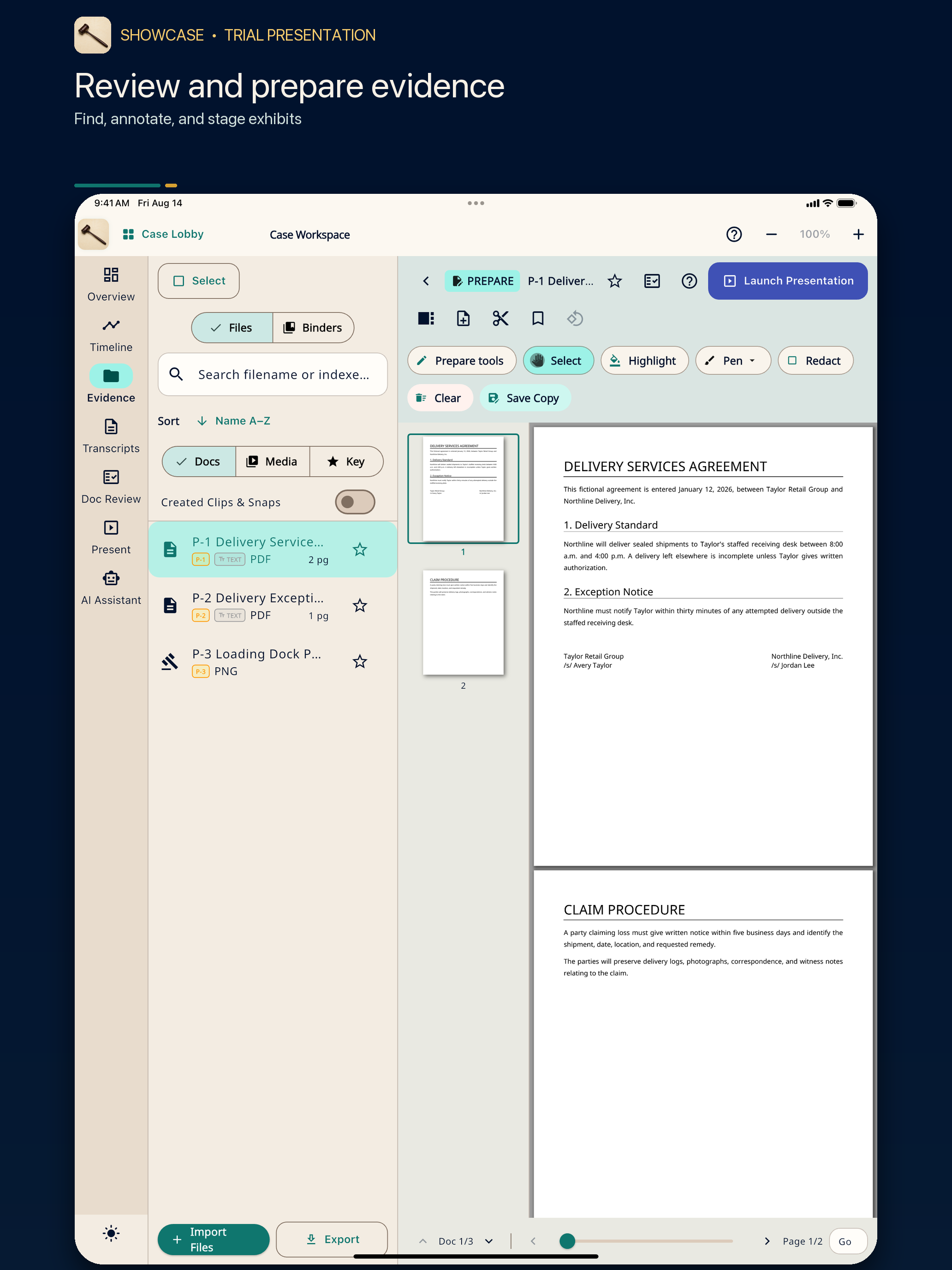
Keep the material close and the work connected, from your first review to your next presentation.
Review documents, prepare exhibits, and build binders without losing the matter they belong to.
Work with transcripts and timelines alongside the source material behind each point.
Prepare what comes next with operator tools designed to stay apart from the audience stage.
Authentic 1.1.2 release-preview screens, using a fictional practice matter.
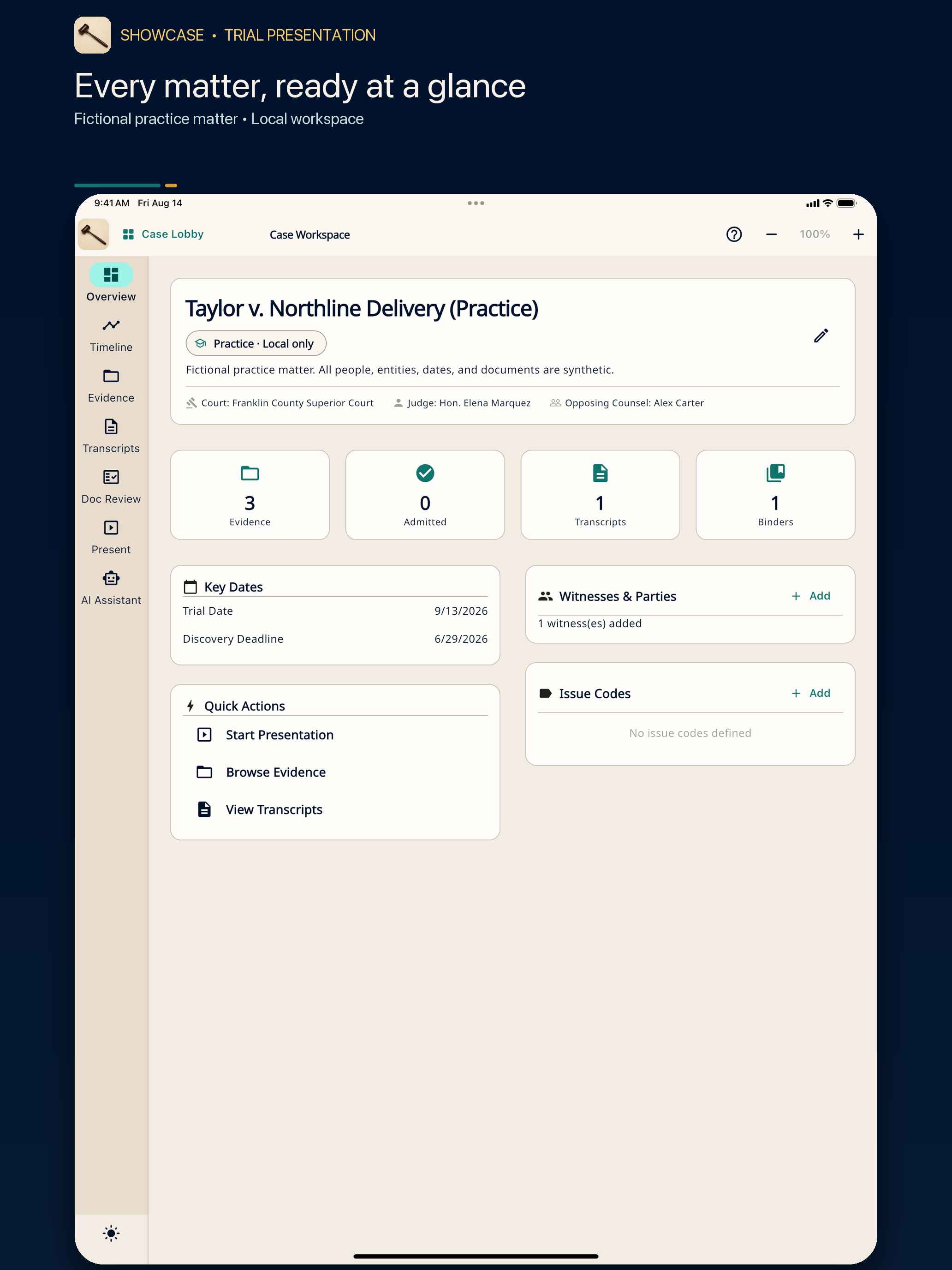
Bring evidence, transcripts, timelines, and binders into one matter workspace.
Review documents, annotate exhibits, and organize the sources behind your story.
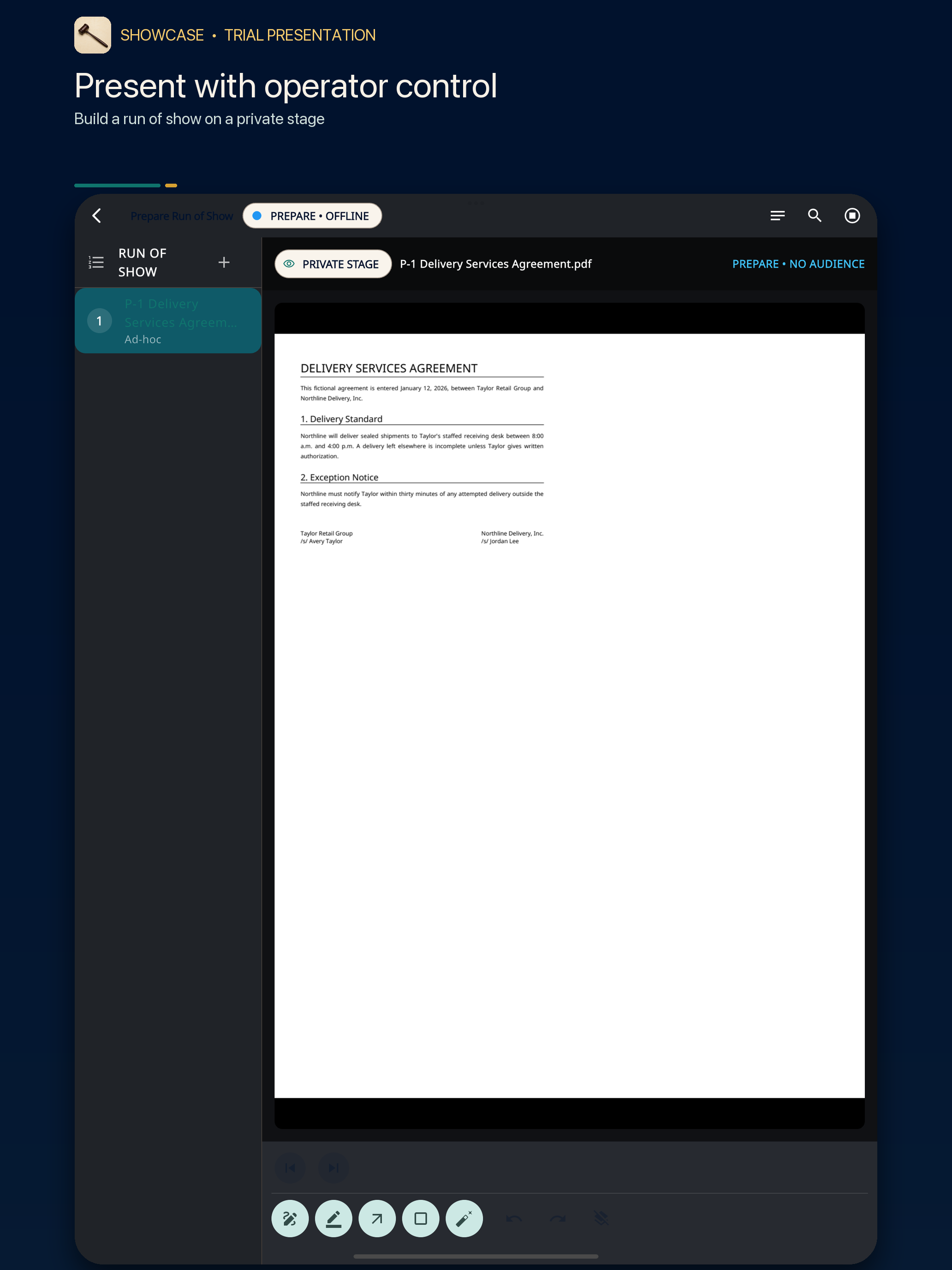
Build your presentation with a private operator view and a separate audience stage.
A silent walkthrough of the same fictional matter. Pause to explore each view.
Core matter work begins on your device. Optional on-device AI helps where supported, without requiring you to send the case record to a remote AI service.
Online account, billing, and optional connected services have their own data handling. See the privacy notice for details.
Read the privacy noticeStart solo or bring the team. Manage subscriptions and firm access through the existing Aris Party Partners portal.
Your own evidence workspace.
Room for your litigation team.
Bring the practice together.
Built around a larger group.
Prices in USD before tax. Choose your plan and billing period in the secure account portal, where the final total is shown before purchase. Store pricing may vary by region.
Download a desktop release. Features vary by version and platform; macOS 1.1.2 includes Demo Mode with a fictional practice case.
Choose the app for your computer below.
Apple Silicon + Intel · signed and notarized
Version 1.1.2Download for MacWindows 11 · x64 installer
Version 1.1.1Download for WindowsLinux · x64 ZIP
Version 1.1.1Download for LinuxMobile releases are in preparation. Official store links will appear here when public availability is verified.
Coming soonSeptember testing of a local macOS validation build found audience-output connection failures. Live presentation remains unverified for the downloadable release; rehearse your device and display setup before relying on it. Use the desktop releases for preparation, and explore Demo Mode where supported.
The macOS 1.1.2 release includes Demo Mode with a fictional practice case. Windows and Linux downloads are earlier releases with a different feature set. The screens and visual tour above also show the interface.
Choose a plan through the secure Aris Party Partners account portal. Final plan selection, payment, and team access happen there. Manage subscriptions with the provider used for purchase; Apple and Google purchases are managed through their stores.
Open my account ↗Core matter work is local-first. Optional online services are separate; review the privacy notice and the app’s guidance before enabling them.
macOS, Windows, and Linux have desktop releases. Mobile store releases remain in preparation. Platform versions and current download links are listed above.
Explore on desktop. Choose a plan when you’re ready.